
Docs
Pixel Flow user manual and best practices
Find scanning, filtering, image details, library, export, account, and industry workflow guidance by task.
Contact Support
If Pixel Flow runs into issues with image detection, downloads, sign-in, PRO access, backup import, or data recovery, use Contact Support in Account & Settings to find the support email and the recommended feedback details. This page only explains where the entry is and what the dialog shows; for the full troubleshooting checklist and feedback template, see Feedback and Support.
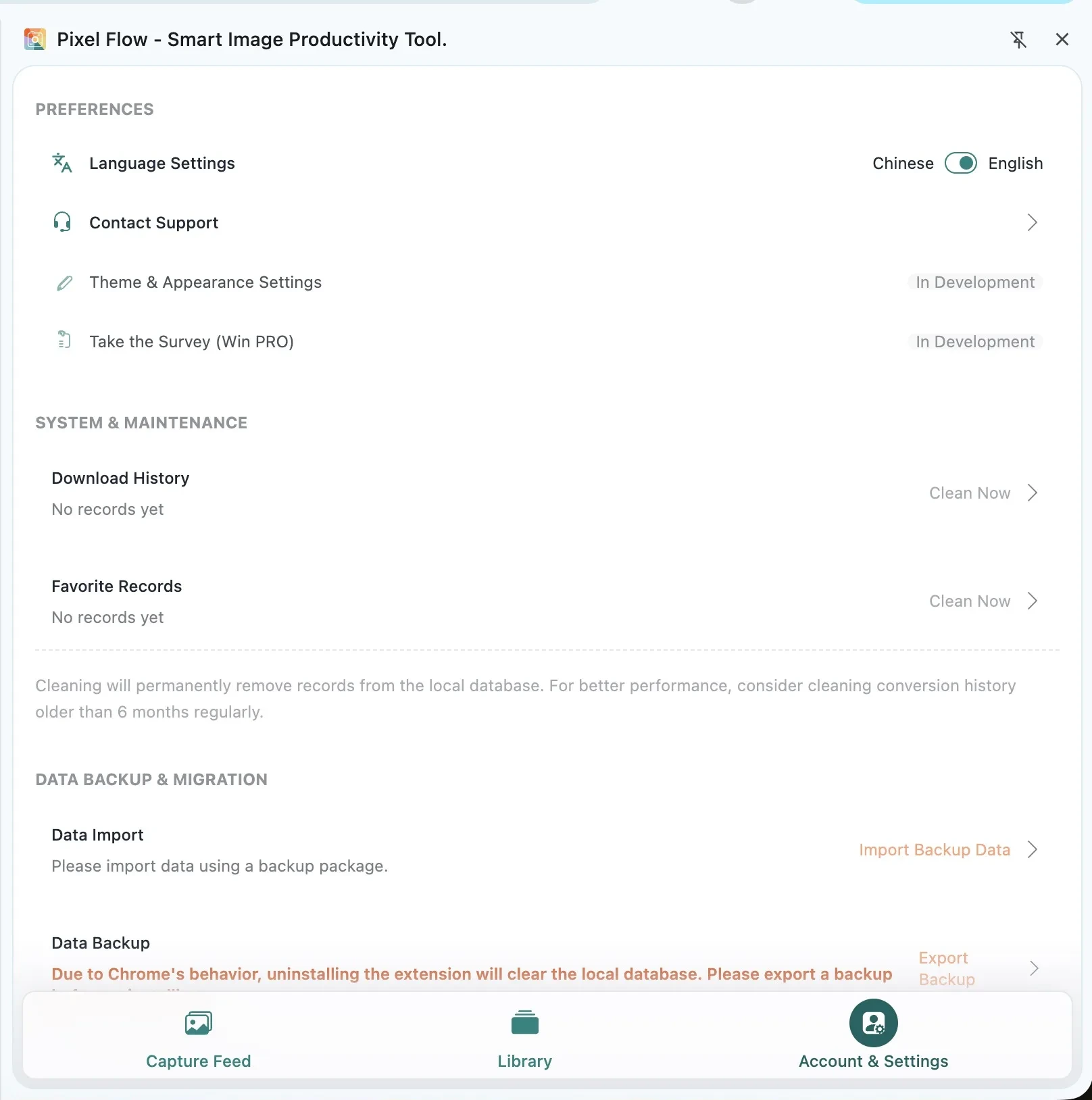
Where to Open It
- Open Pixel Flow in the Chrome side panel.
- Go to Account & Settings.
- Find Contact Support.
- Open the support dialog and copy the support email.
- Prepare your account information, a settings-page screenshot, and a clear issue description.
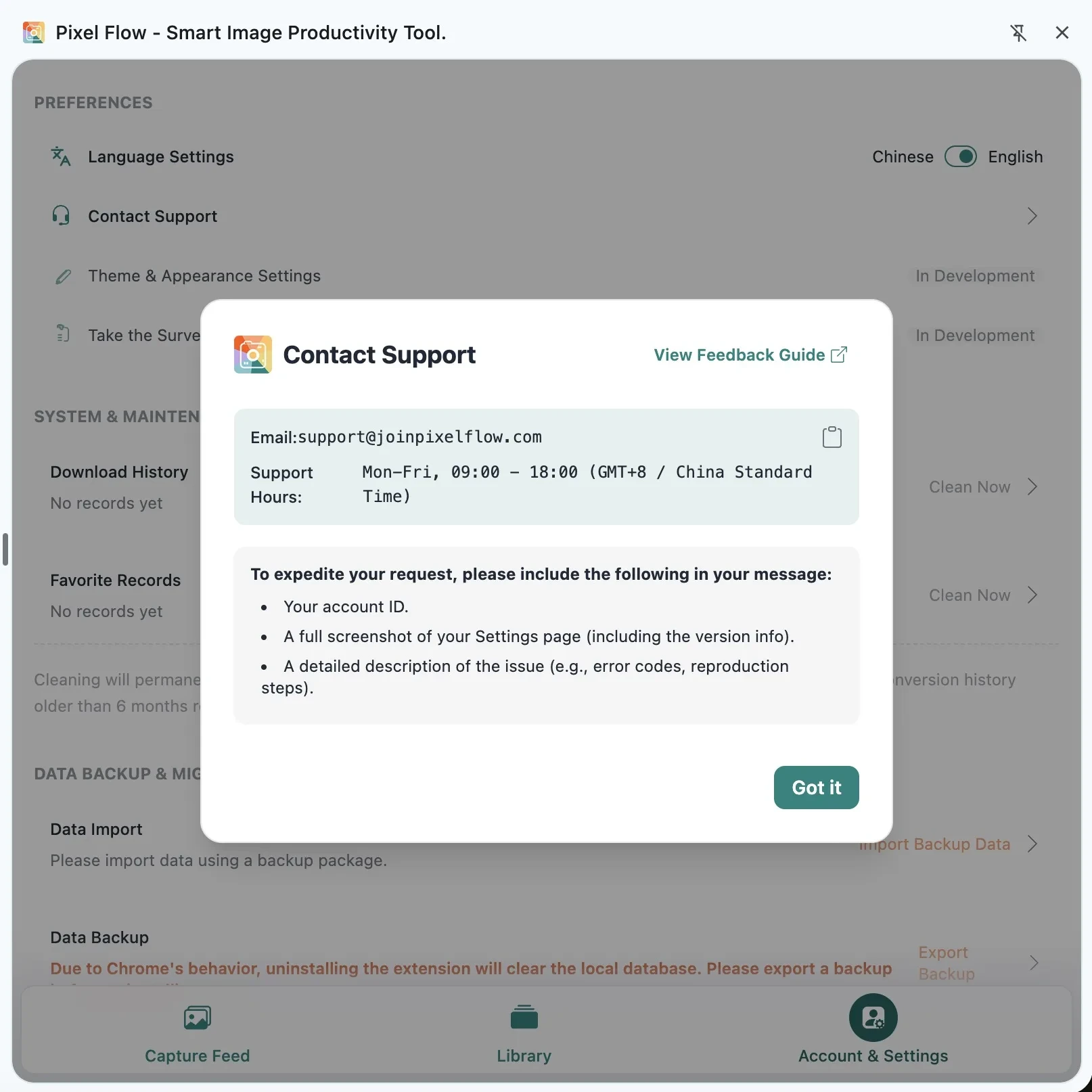
What the Dialog Shows
The support dialog shows the support email, support hours, and the key details to include in your message. Before sending the email, open Feedback and Support and copy the feedback template so you can fill in the issue type, affected page URL, steps to reproduce, expected result, actual result, browser version, Pixel Flow version, signed-in account, and screenshots or recordings.
Do not send passwords, email verification codes, sign-in codes, bank card numbers, or full payment card details. If a screenshot includes an email address, order ID, invitation code, customer name, internal page, or private image, redact the sensitive parts first.
Notes
- Contacting support does not change the original webpage, and it does not grant copyright or reuse permission for any image.
- Pixel Flow support mainly helps with extension behavior, account status, download records, local data, and issues on pages you are allowed to use.
- Third-party site limits, anti-bot behavior, login permissions, and image licensing still depend on the rules and permissions of the original website.
- The support email is support@joinpixelflow.com. Confirm the recipient before sending.
Related Pages
- Feedback and Support
- View PRO status and records
- Backup import